Chargebee Integration
The Chargebee integration in Whautomail enables you to automatically send emails and newsletters based on your SaaS customer lifecycle events, such as new sign-ups, trial reminders, payment failures, and cancellations. Once connected, you can automate personalized communication throughout your customer journey.
Steps to Integrate Chargebee with Whautomail
1. Go to Integrations
- Open the Whautomail app
- From the left menu, select the Integrations option to continue
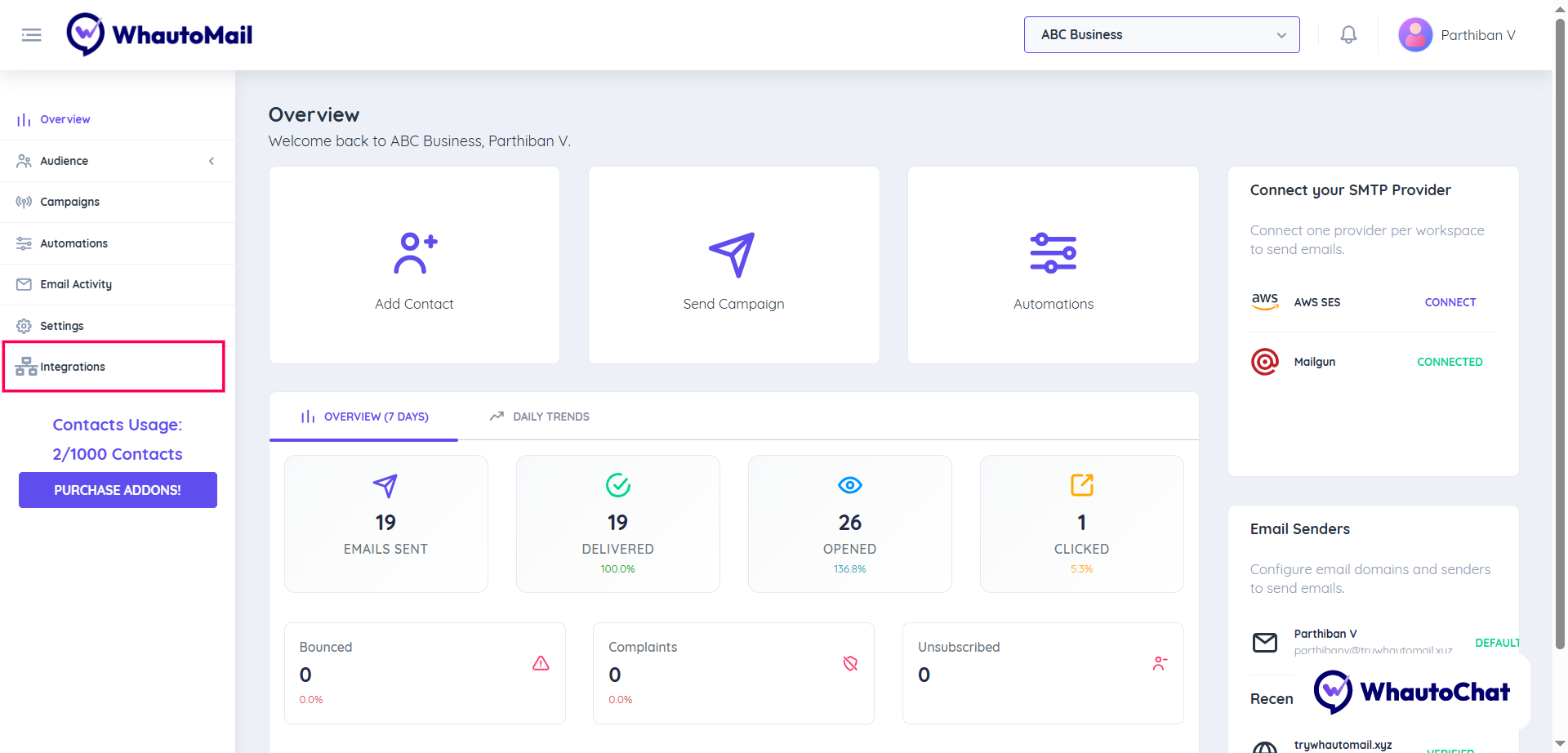
2. Connect Chargebee
- Find Chargebee from the list of available integrations
- Click the "Connect" button
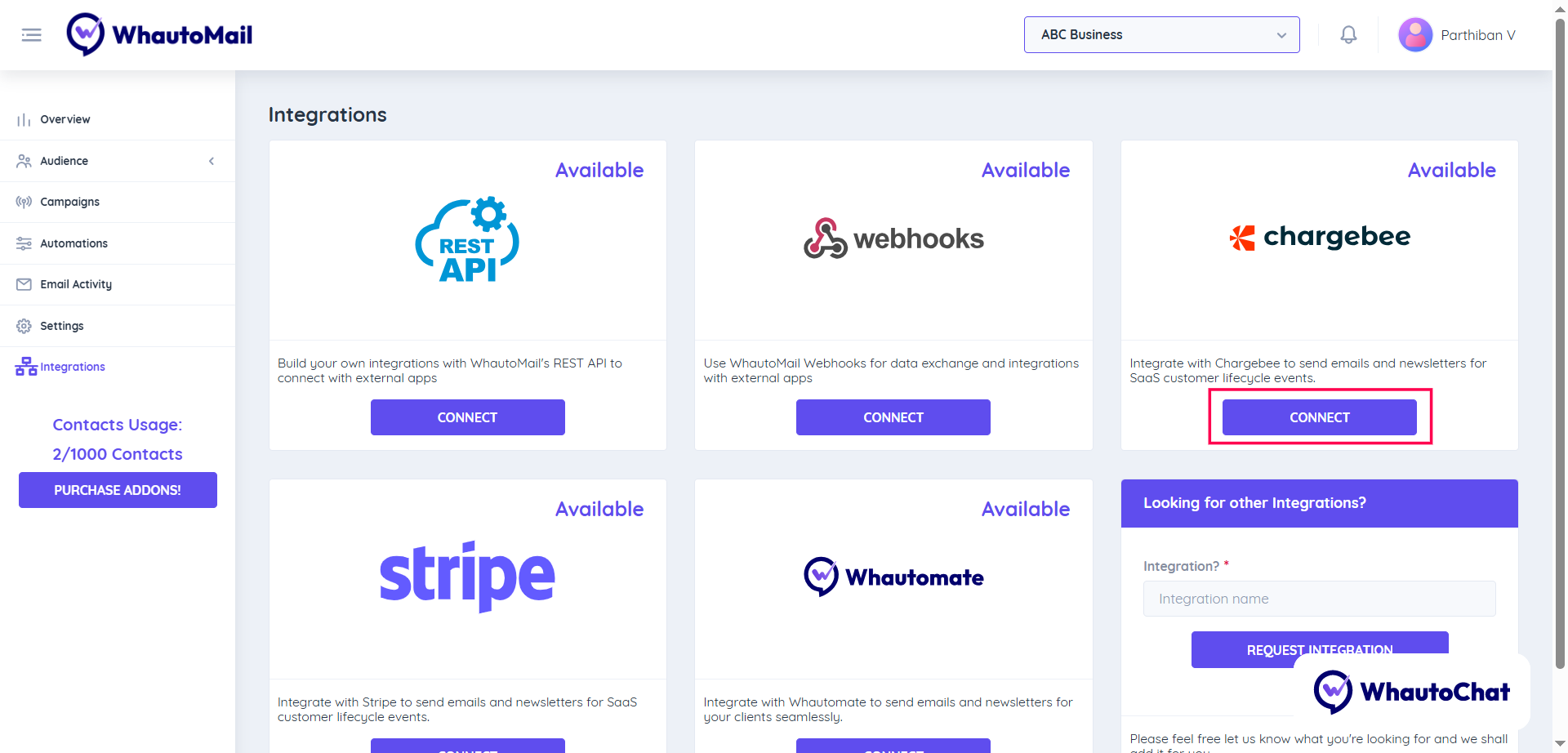
3. Configure the Integration
To complete the setup, you'll need to configure three parts:
- Webhook URL
- Events
- Authentication (Optional)
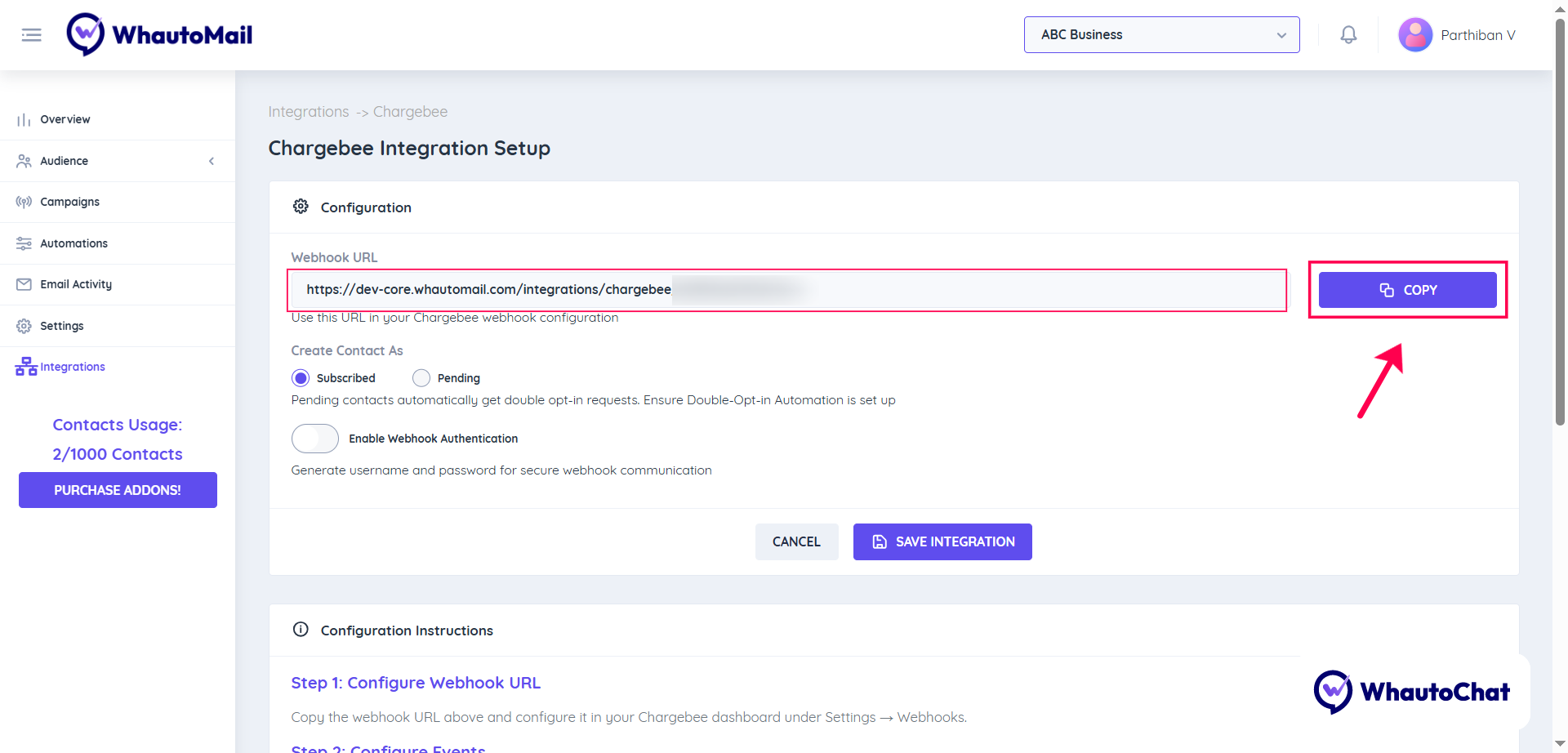
(1) Configure Webhook URL
- Copy the Webhook URL from the Whautomail integration page
- Log in to your Chargebee account
- Go to the Settings menu → select Configure Chargebee
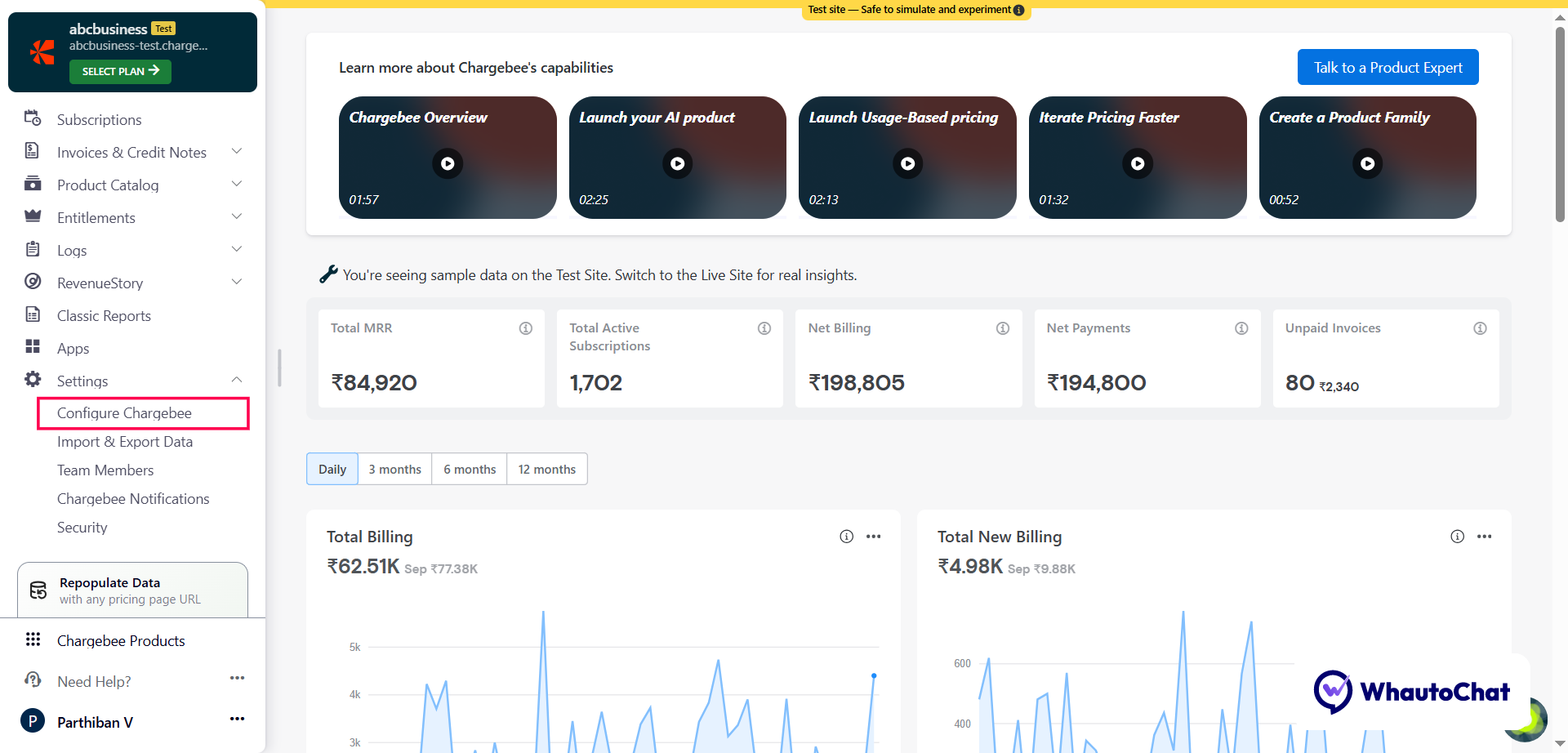
- On the Configure Chargebee page, scroll down to find the API Keys and Events section
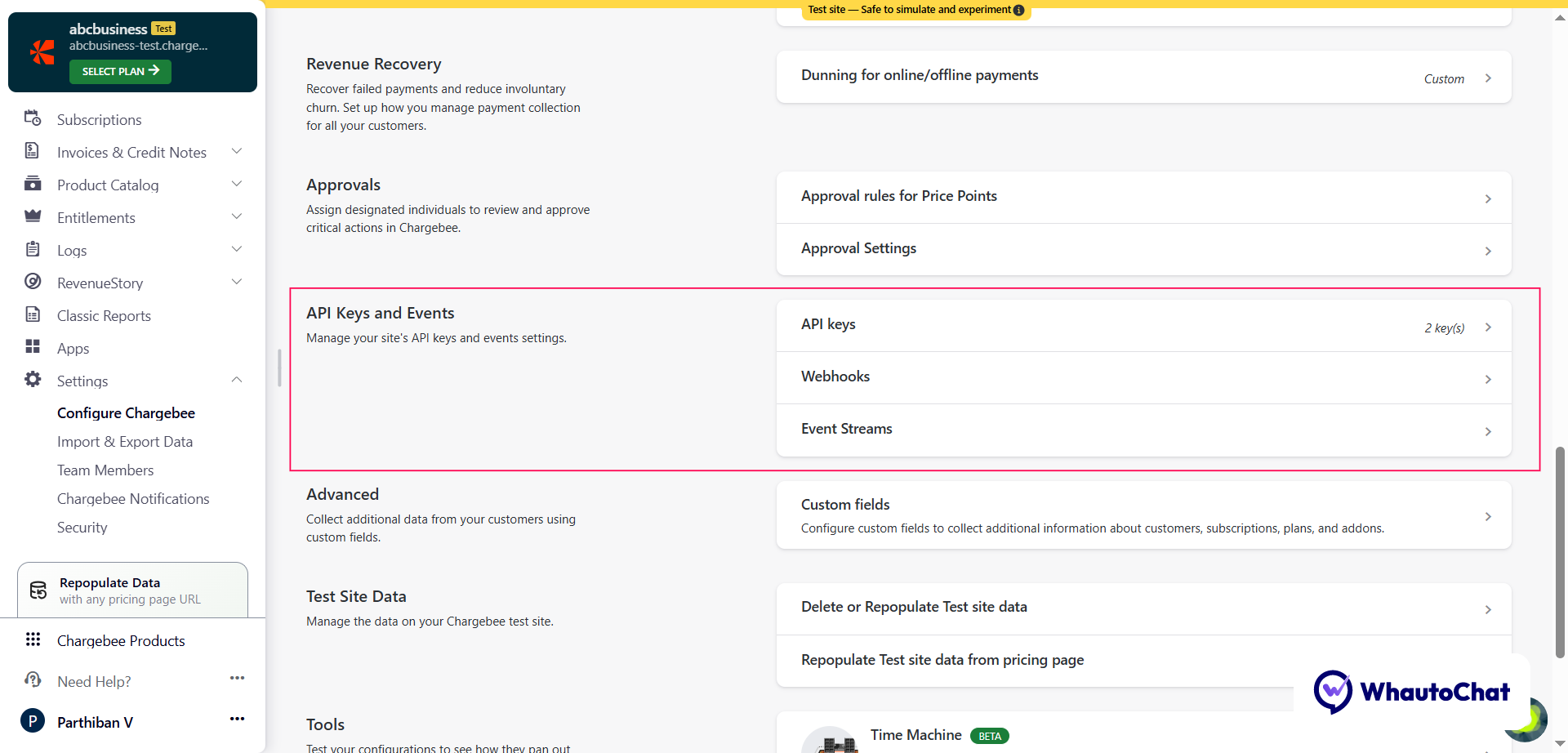
- Select Webhooks to continue
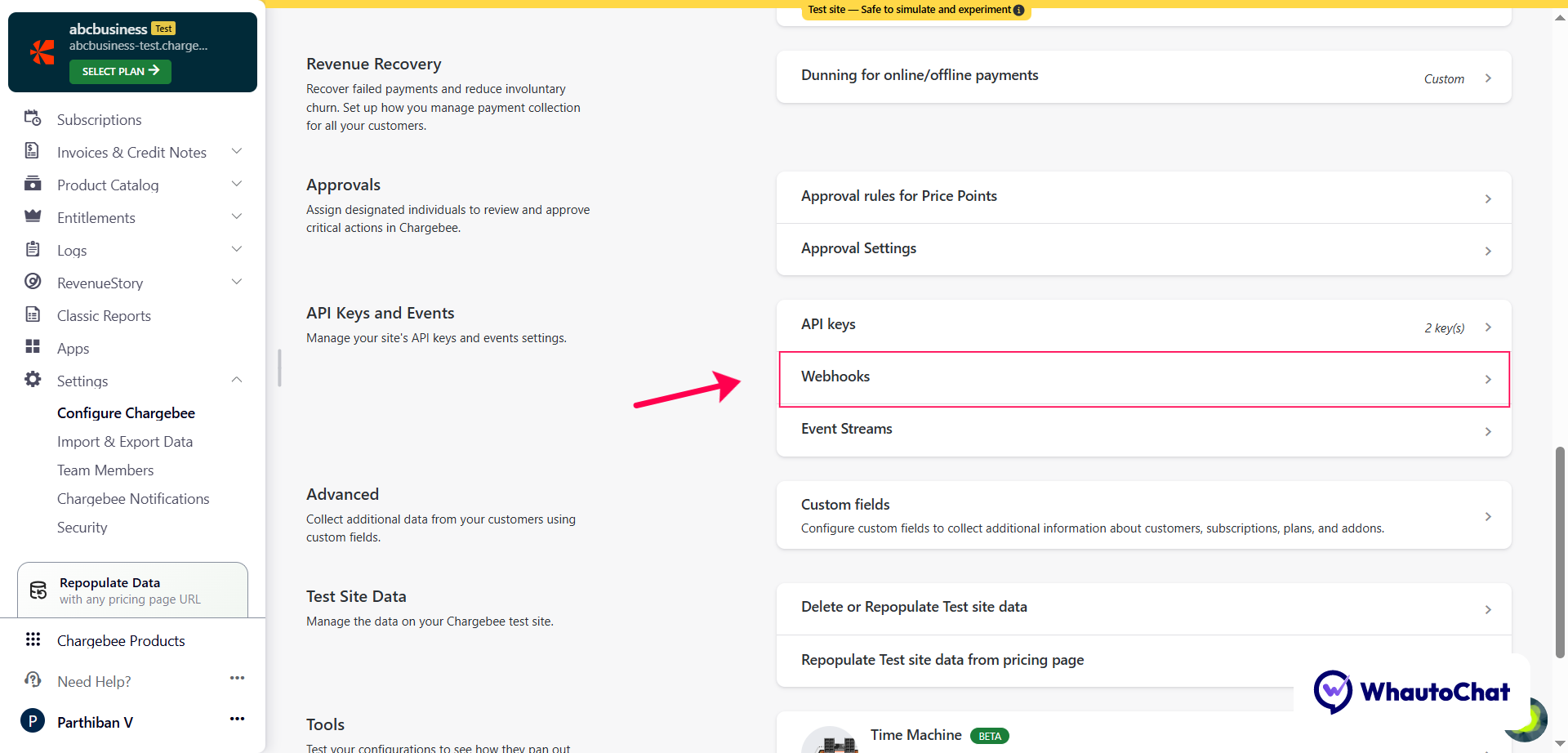
- Click the + Add Webhook button
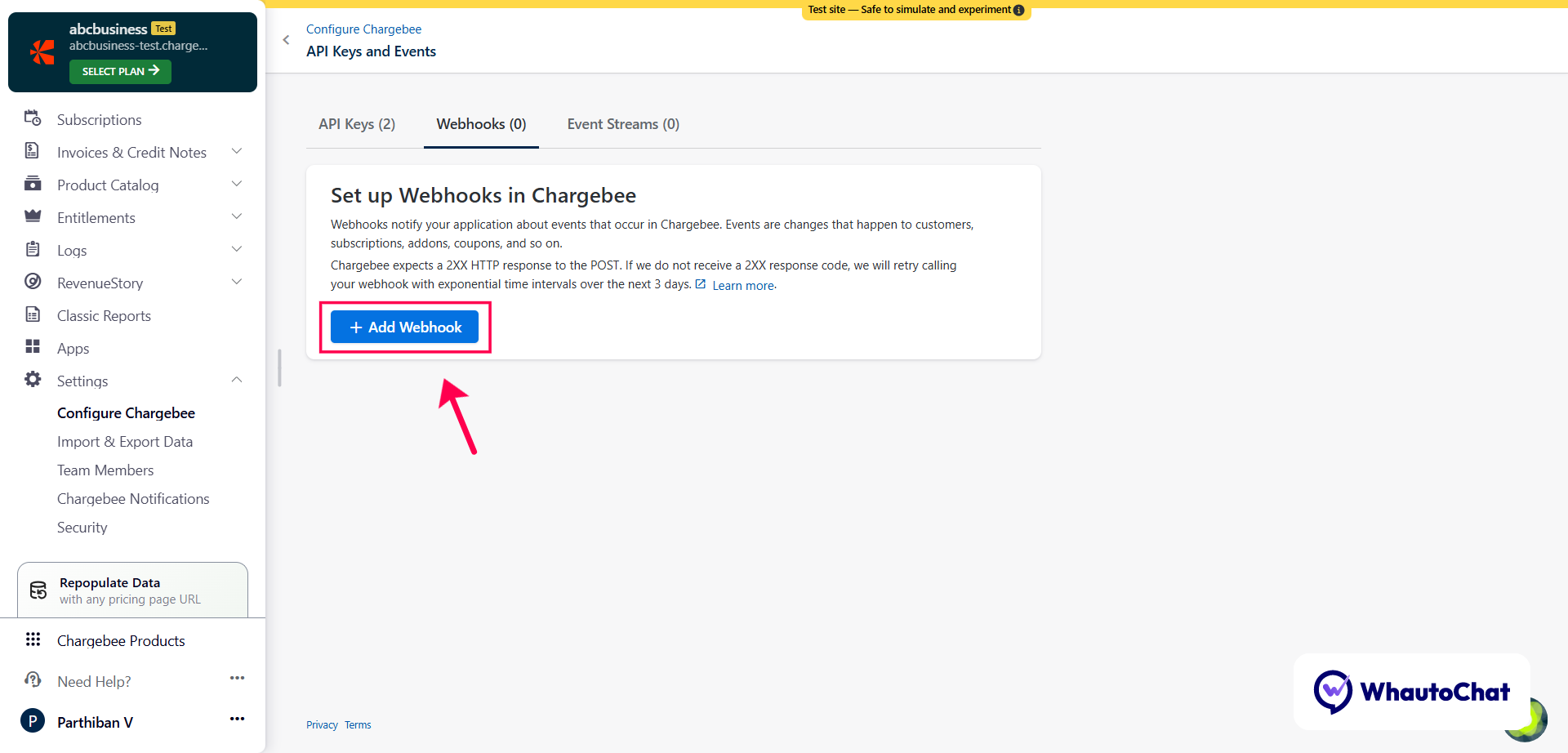
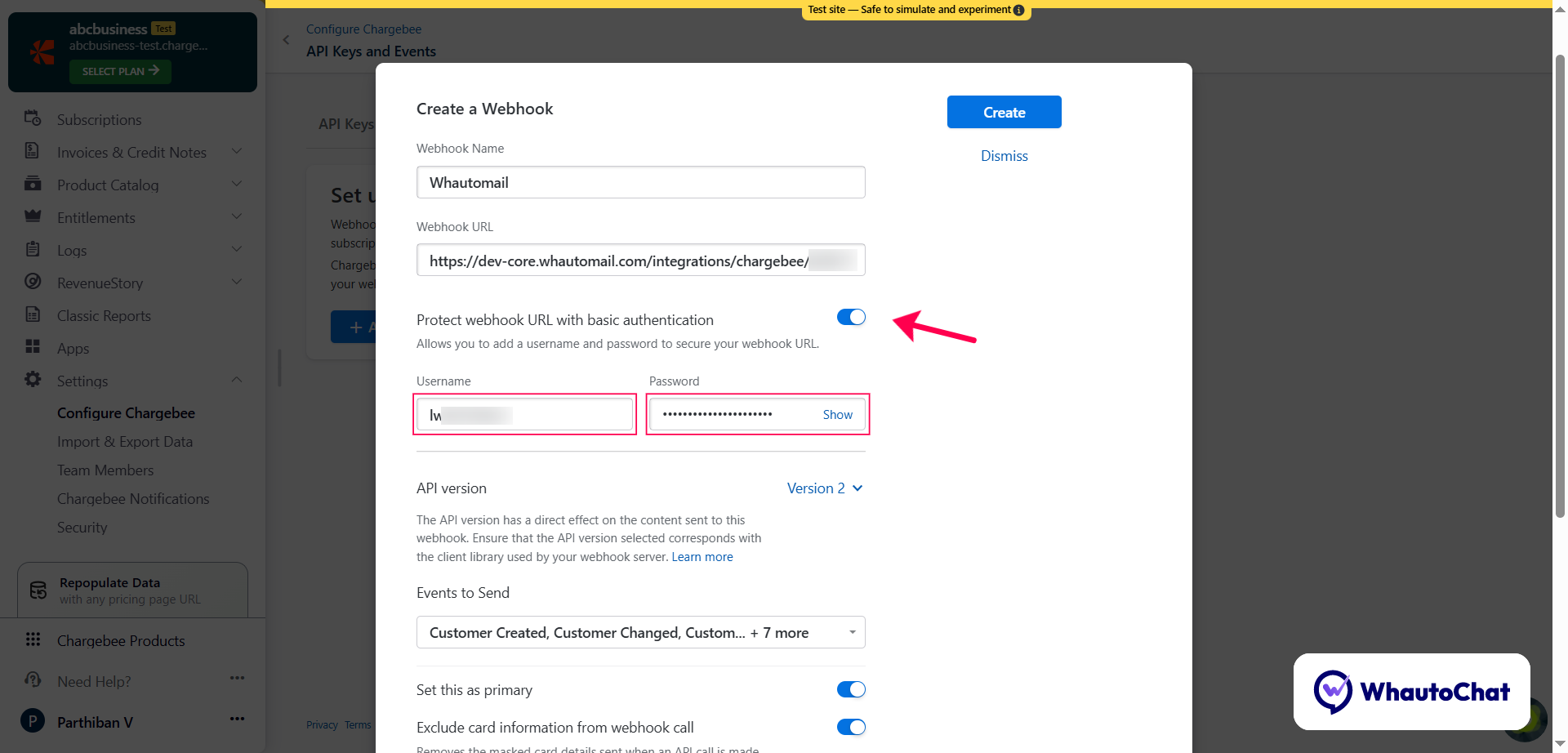
- Create a new webhook:
- Webhook Name: Enter a name (e.g., Whautomail)
- Webhook URL: Paste the copied Whautomail webhook URL here
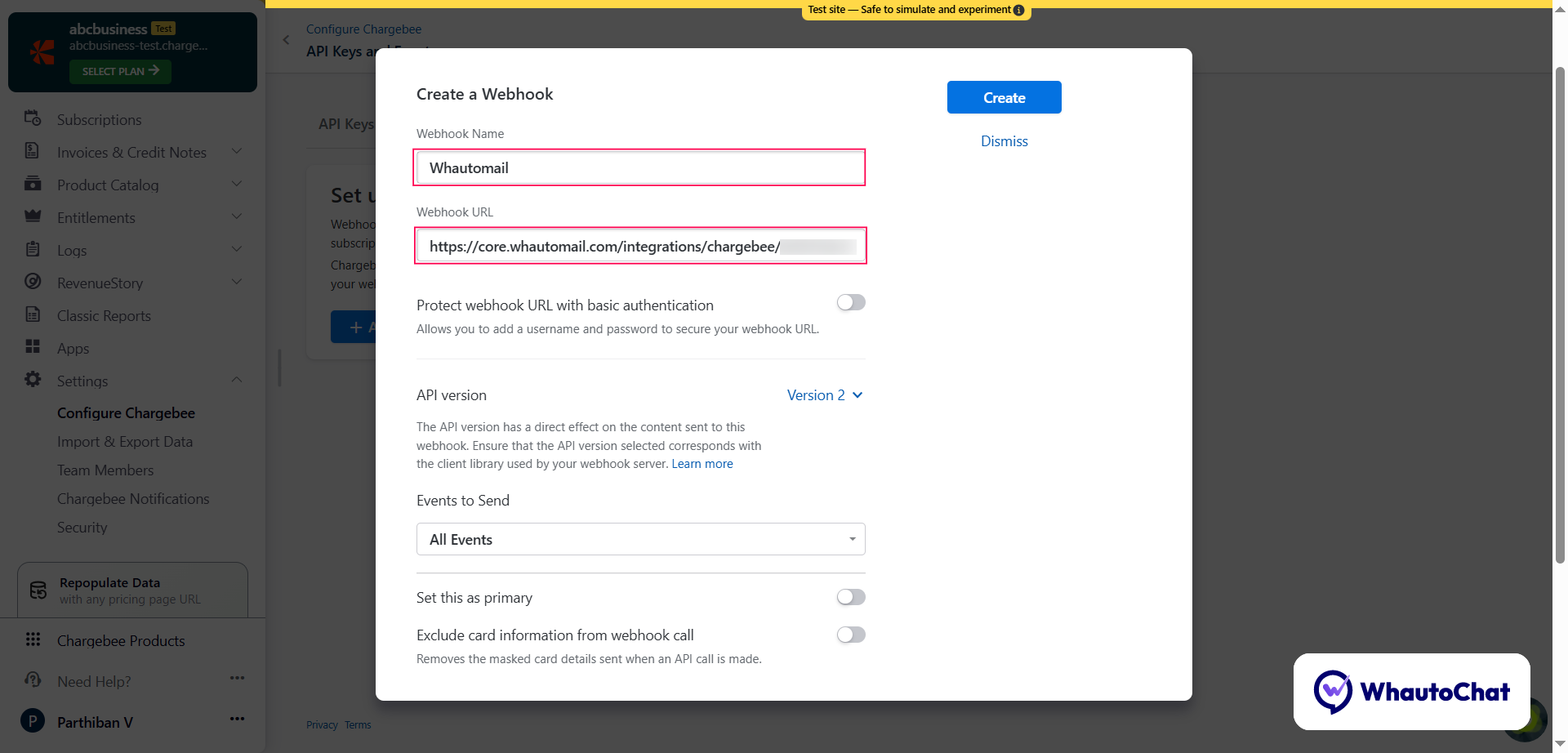
(2) Configure Events
- Scroll down to the "Events to Send" dropdown
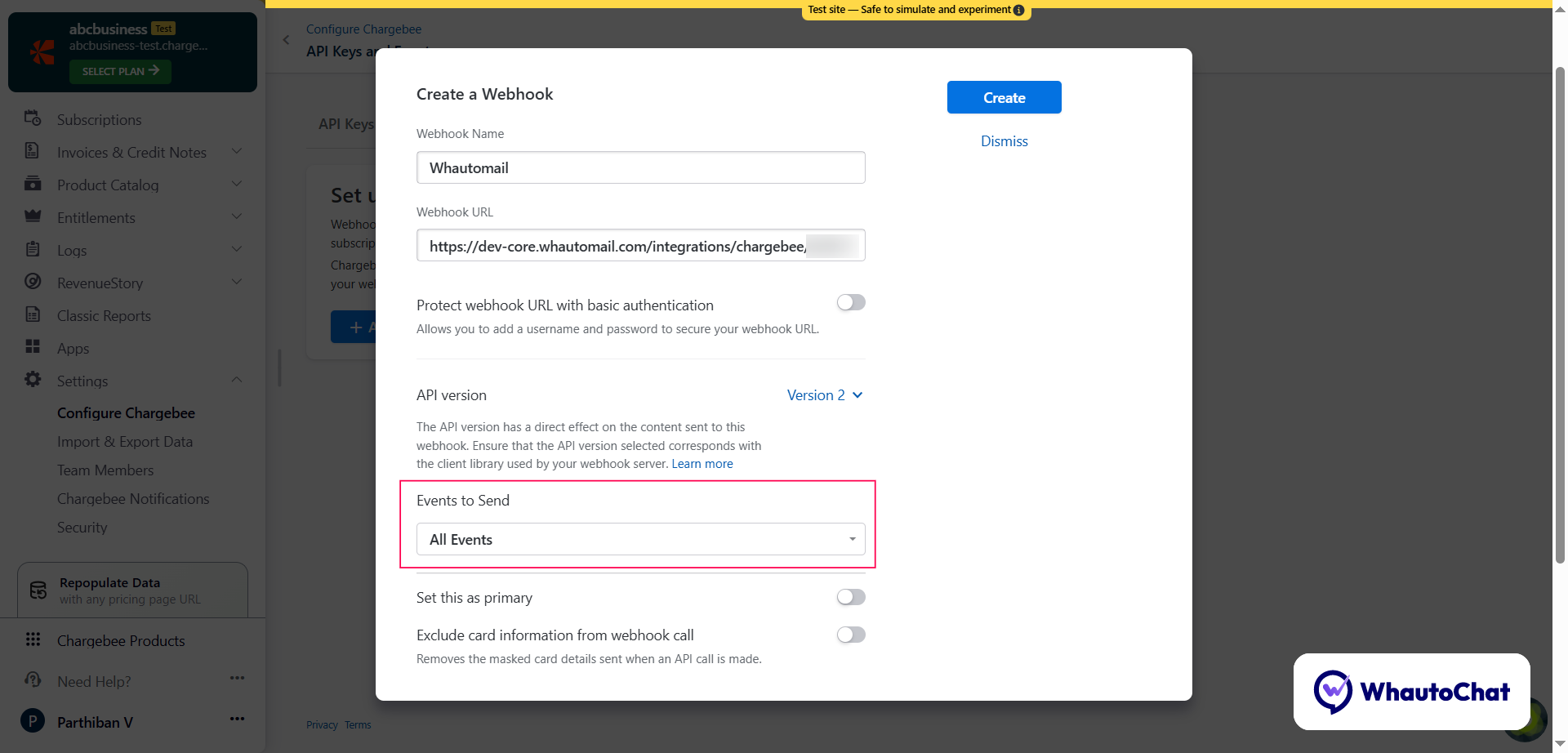
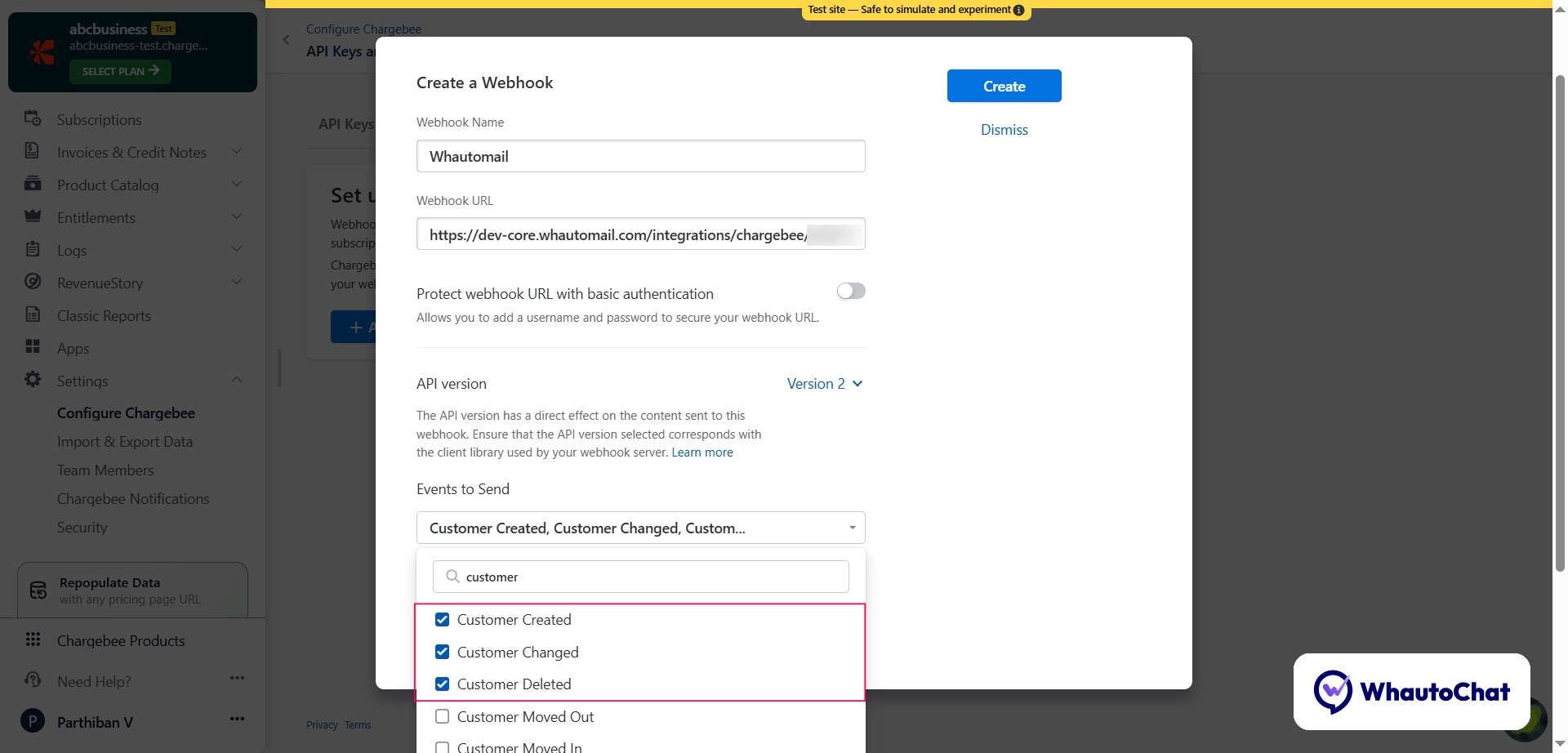
- Enable the following events:
CUSTOMER EVENTS
customer_createdcustomer_changedcustomer_deleted
SUBSCRIPTION LIFECYCLE
subscription_createdsubscription_activatedsubscription_cancelledsubscription_deletedsubscription_trial_end_reminder
PAYMENT & BILLING
payment_succeededpayment_failed
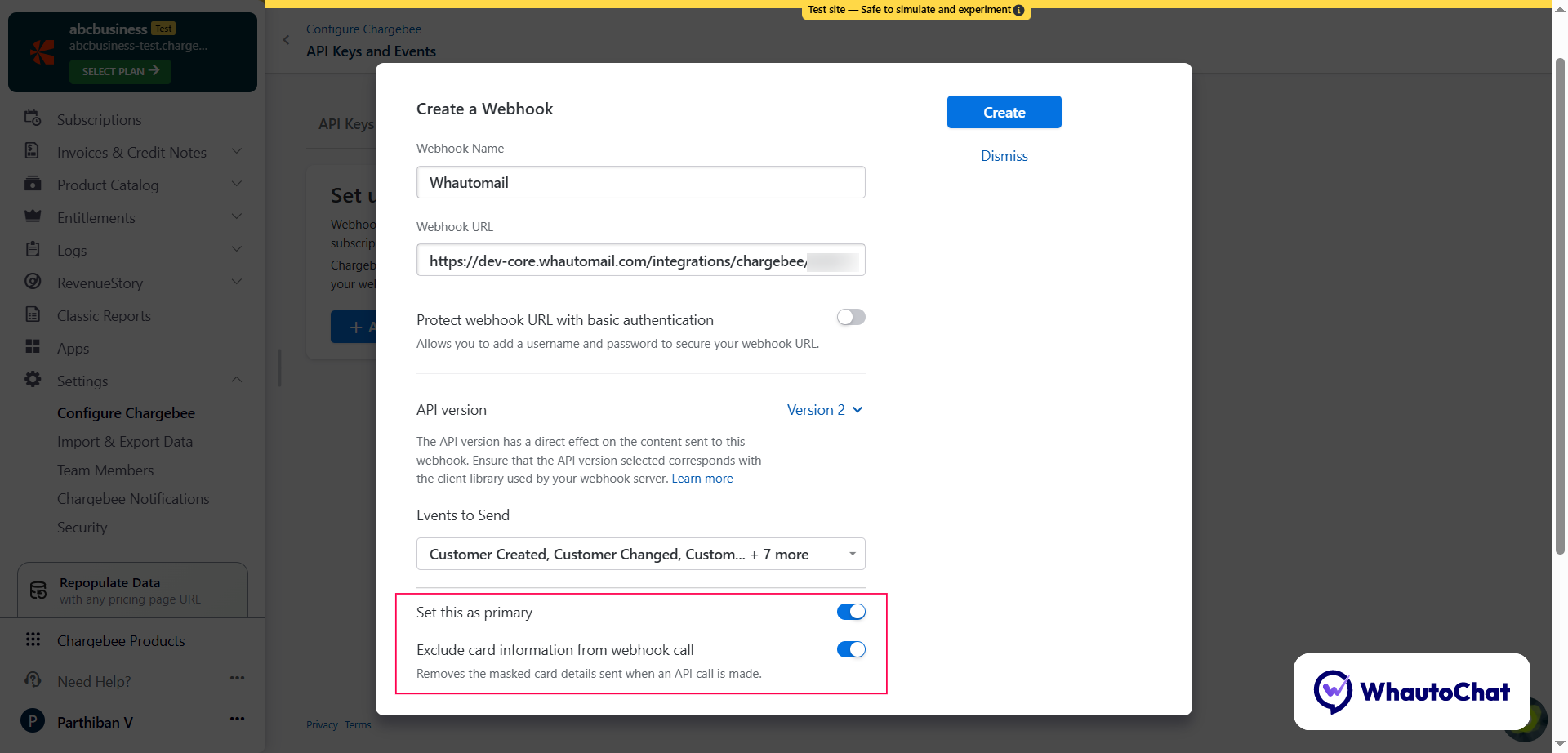
- Enable these additional options:
- ✅ Set this as Primary
- ✅ Exclude card information from webhook call (Removes masked card details sent during API calls.)
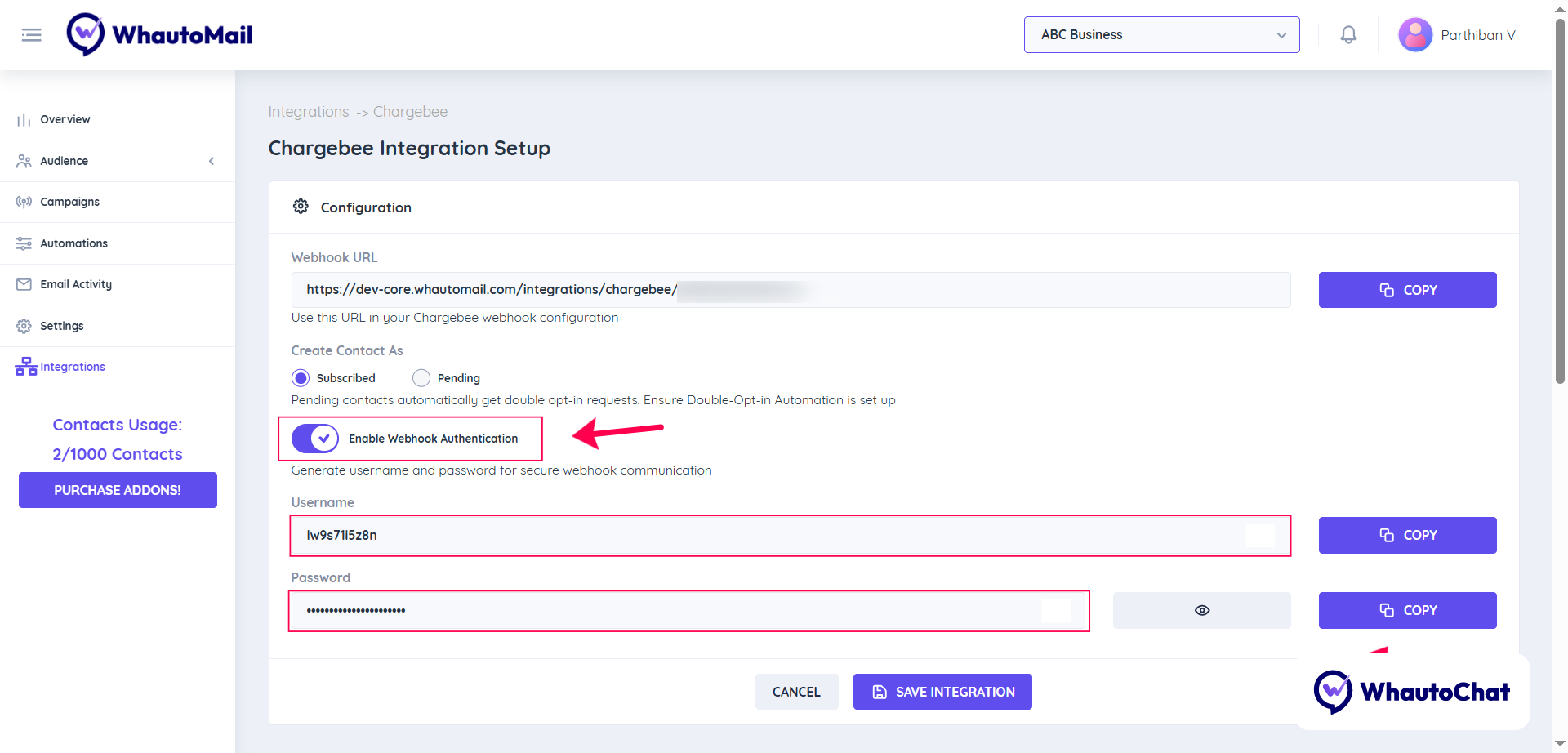
(3) Authentication (Optional)
- Go back to the Whautomail Chargebee Integration page
- Enable Webhook Authentication - this will generate a Username and Password
- Copy both credentials
- Return to your Chargebee Webhook page
- Enable Protect webhook URL with basic authentication
- Paste the username and password you copied from Whautomail
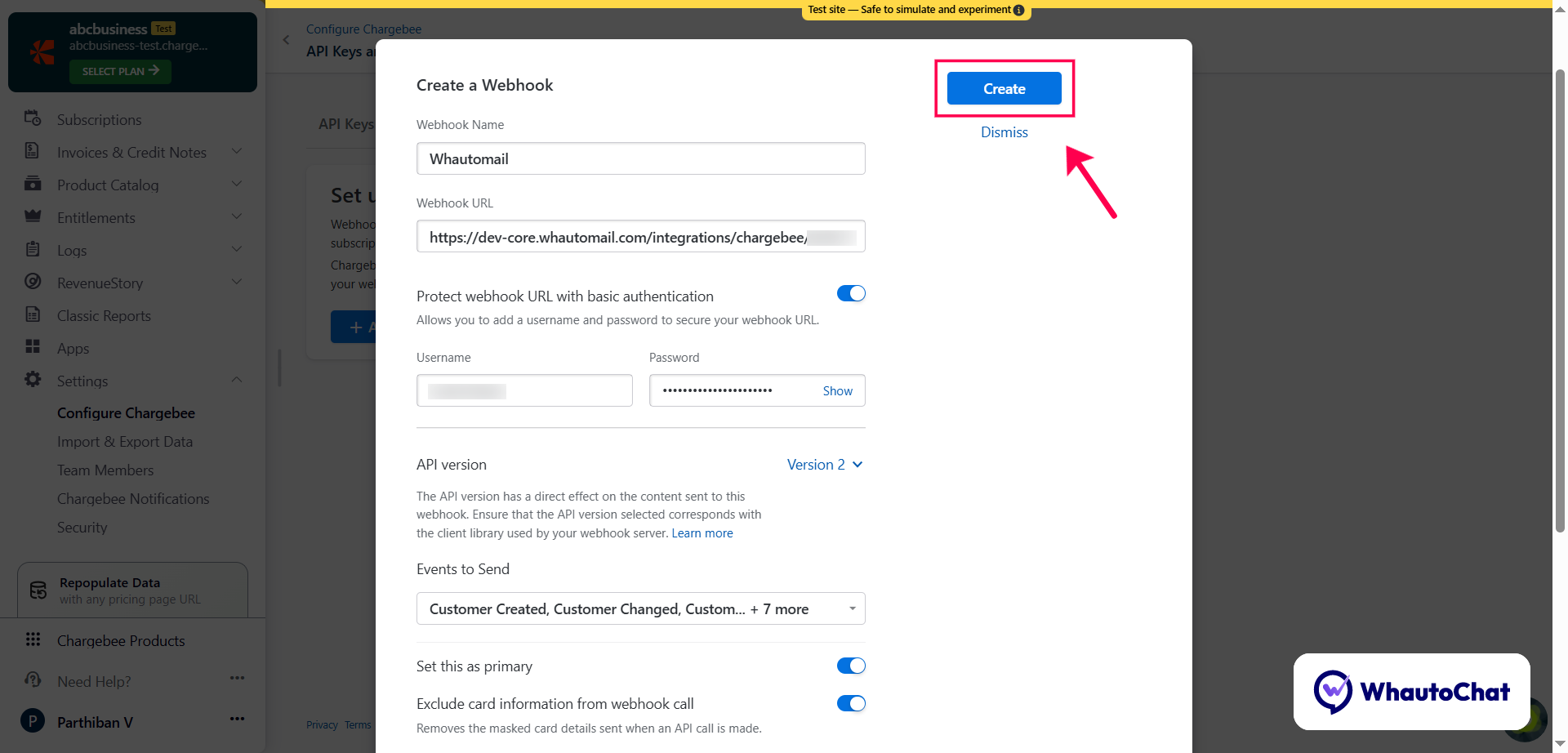
- Click Create to save your webhook
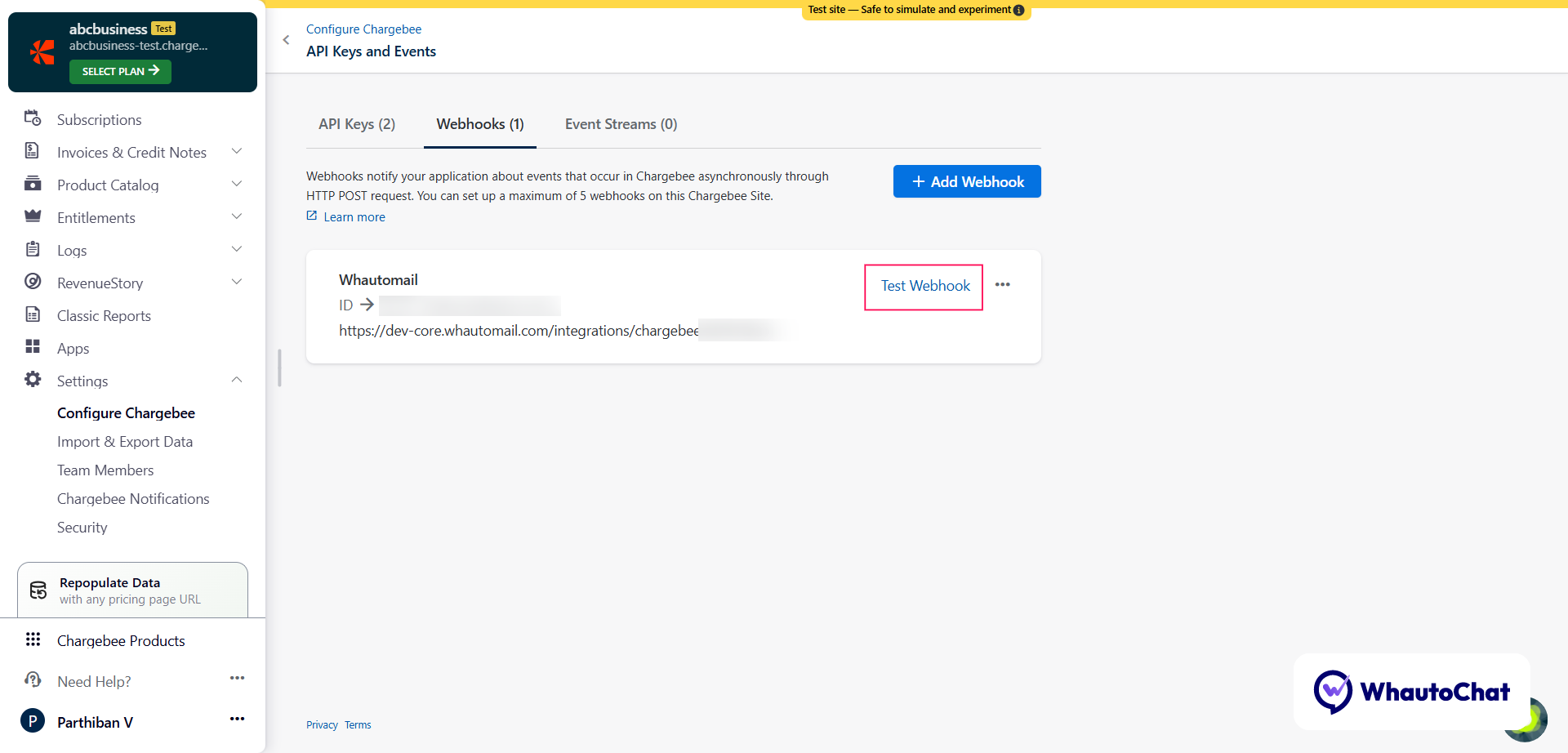
Test the Webhook:
- Choose a test event (e.g., Customer Created)
- Click Test URL
- If successful, you'll see: "Successfully received OK response from the webhook."
4. Complete the Setup
- Go back to the Whautomail Chargebee Integration page and click the Next button
- Set Contact Status: Choose how contacts should be created in Whautomail - as Subscribed or Pending
Note: Contacts created with a Pending status will automatically receive a double opt-in request. Make sure you've set up the Double Opt-in Automation before enabling this option.
- Finally, click "Save Integration" to complete your Chargebee configuration
Your Whautomail account is now successfully connected to Chargebee!
Whautomail Chargebee Automations
Once integrated, you can activate powerful prebuilt automations to handle different stages of your SaaS customer lifecycle.
How to Access Chargebee Automations:
- Go to the Whautomail app → select Automations
- Click the + Add Automation button
- You'll see a list of Chargebee-related automation templates
- Install the ones that fit your business needs
Available Chargebee Email Automations:
Chargebee Payment Failed Dunning Series
- Automatically recover failed payments with friendly reminders and helpful support links
Chargebee Subscription Activated Onboarding
- Welcome new subscribers and provide a premium onboarding experience
Chargebee Subscription Cancellation Win-Back
- Reconnect with canceled subscribers using feedback requests and exclusive offers
Chargebee Trial Ending Reminder
- Remind users when their trial is about to end and encourage them to upgrade
Chargebee Trial Welcome Series
- Greet new trial users and introduce key features to help them get started
Customizing Your Chargebee Automations
Whautomail provides default email templates for each of these automations. You can fully customize them using:
- Two powerful email editors (Drag & Drop Editor or Simple Editor)
- Predefined, ready-to-use email templates
Make your automations match your brand tone, design, and communication style effortlessly.
✅ Once configured, your Whautomail and Chargebee integration will automatically handle all important customer lifecycle emails - keeping your subscribers informed, engaged, and retained!